Vibe Coding: The Complete Guide to AI-Assisted Development for Marketers and Builders
Learn what vibe coding is, who vibe coders are, the best AI tools available, and how to use vibe coding to build websites, landing pages, and more.

What Is Vibe Coding?
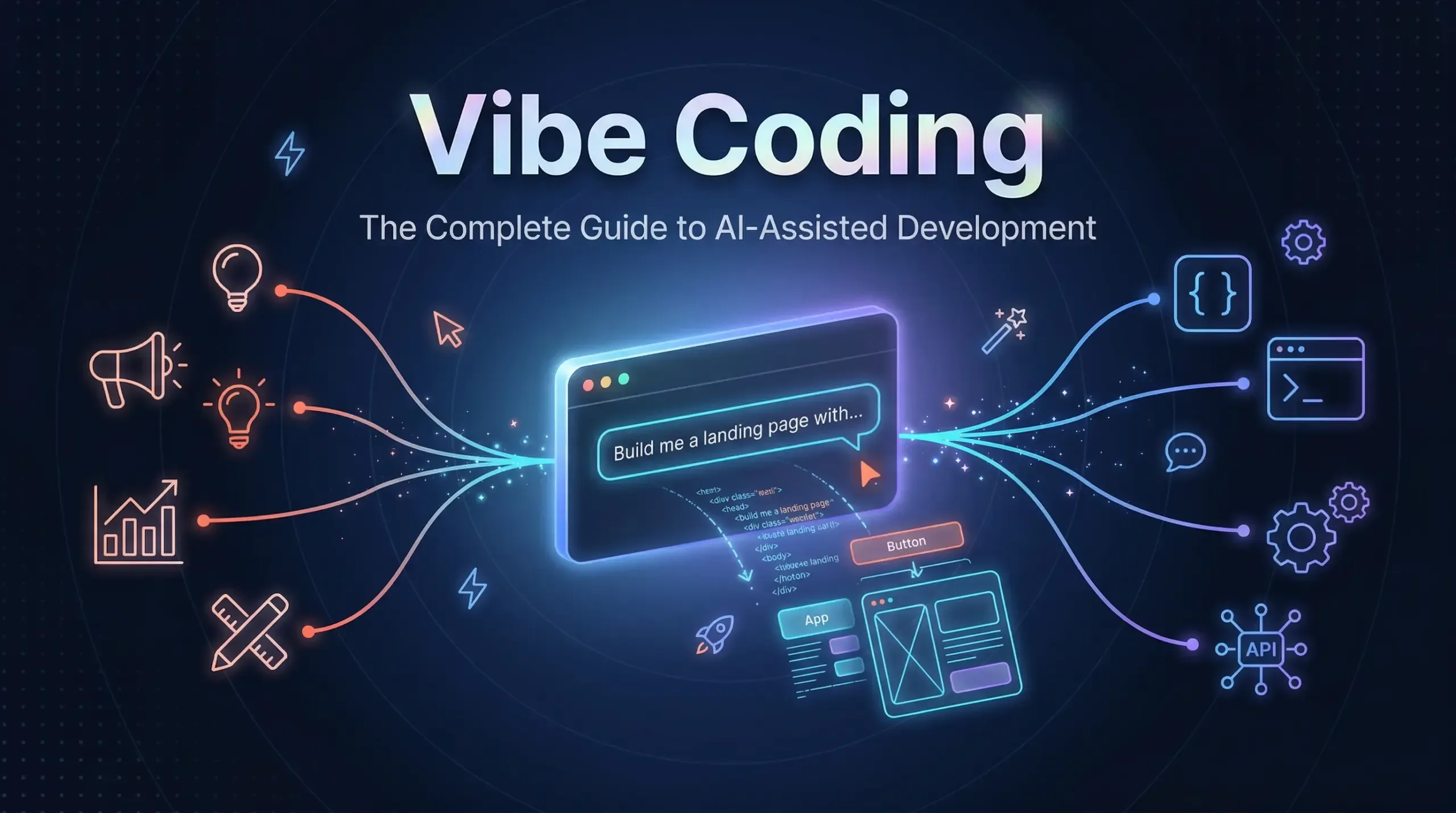
Vibe coding is an AI-assisted software development practice where you describe what you want to build in plain English, and artificial intelligence generates the code for you. Instead of manually writing every line of code, you guide an AI tool through natural language prompts, review its output, and refine the results through conversation. Think of it as having a tireless coding partner who translates your ideas into functional software in seconds.
The term was coined by AI researcher Andrej Karpathy, co-founder of OpenAI and former AI leader at Tesla, in February 2025. He described vibe coding as a practice where you “fully give in to the vibes, embrace exponentials, and forget that the code even exists.” By March 2025, Merriam-Webster had listed it as a “slang and trending” expression. It was later named the Collins English Dictionary Word of the Year for 2025.
But vibe coding is no longer just a developer trend. Marketers, founders, designers, and growth teams are now using vibe coding tools to build landing pages, campaign microsites, internal dashboards, and full websites without writing a single line of traditional code. This guide covers everything you need to know: what vibe coding is, who vibe coders are, the best tools available, and how to apply it practically in marketing and website development.
Who Are Vibe Coders? The New Builder Persona
A vibe coder is anyone who uses AI tools to build software by describing their vision in natural language rather than writing code manually. Unlike traditional developers, vibe coders don’t need to master programming languages. They need clarity of thought, strong prompting skills, and the judgment to review and refine AI-generated output.
The vibe coder persona spans several distinct groups:
- Marketers and growth teams: Building landing pages, A/B test variants, interactive calculators, and campaign microsites without waiting on developer resources.
- Founders and entrepreneurs: Rapidly prototyping minimum viable products (MVPs) to validate ideas before committing full development budgets. Y Combinator reported that 25% of its Winter 2025 startup batch had codebases that were 95% AI-generated.
- Designers and creative professionals: Turning mockups into working prototypes, building portfolio sites, and creating interactive presentations through simple prompts.
- Professional developers: Accelerating repetitive tasks, generating boilerplate code, and automating testing workflows. According to GitHub’s 2024 research, 92% of US-based developers reported using AI coding tools in their daily work.
What unites all vibe coders is a “problem-first” mindset. The focus shifts from how to implement a solution to what problem needs solving.
Vibe Coding in 2026: Key Market Statistics
The growth of vibe coding has been explosive. Here are the numbers that define this movement:
- $4.7 billion estimated market size for AI-assisted coding tools in 2026, projected to reach $12.3 billion by 2027 (ALM Corp Industry Analysis).
- 6,700% increase in search interest for “vibe coding” during Q2 2025 (DreamHost Trend Report).
- 46% of all code committed to GitHub is now AI-generated (GitHub Octoverse 2024).
- 25% of Y Combinator’s Winter 2025 cohort had nearly all-AI codebases.
- Collins English Dictionary named “vibe coding” its Word of the Year for 2025.
Vibe coding has moved from novelty to mainstream practice in under two years.
How Vibe Coding Works: The Step-by-Step Process
Whether you are building a marketing landing page or a complete web application, vibe coding follows a repeatable four-step cycle:
- Describe your vision in plain language. Start with a clear, specific prompt. For example: “Create a responsive landing page for a SaaS product with a hero section, three feature cards, a pricing table, and a contact form. Use a modern dark theme with blue accent colors.”
- AI generates the code. The AI tool interprets your description and produces HTML, CSS, JavaScript, or full-stack application code. Most tools generate a working preview within seconds.
- Review, test, and iterate. Examine the output, test it in a browser, and provide follow-up prompts to refine the result. “Move the CTA button above the fold. Add a testimonial carousel below the hero section. Make the form validate email addresses.”
- Deploy (vibe deploying). Once satisfied, publish your project. Many vibe coding platforms now offer one-click deployment to production hosting, a concept Google calls “vibe deploying,” which removes the traditional DevOps bottleneck entirely.
This iterative loop of describe, generate, refine, and deploy can compress weeks of traditional development into hours.
Vibe Coding vs. Traditional Programming vs. No-Code Platforms
Understanding where vibe coding fits alongside traditional coding and no-code platforms is essential for choosing the right approach:
- Traditional Programming: Manual code written line by line. Requires deep expertise in specific programming languages. Offers maximum control and customization. Best for complex, mission-critical systems. Development speed is slow but precise.
- No-Code Platforms (Webflow, Wix, WordPress): Drag-and-drop visual builders with pre-built components. No programming knowledge needed. Limited to the templates and features the platform offers. Best for standard websites and simple applications.
- Vibe Coding (Cursor, Lovable, Replit, Bolt.new): Natural language prompts generate custom code. Low technical barrier, but understanding the output improves results. Highly flexible since you get actual source code you can modify. Best for rapid prototyping, custom marketing tools, MVPs, and website development.
The critical difference is ownership and flexibility. No-code platforms lock you into their ecosystem. Vibe coding produces real, portable source code that you can host anywhere, modify manually, and scale without platform limitations.
Best Vibe Coding Tools Compared (2026)
Choosing the right vibe coding tools depends on your skill level, budget, and goals. Here is a vendor-neutral comparison of the leading platforms:
For Beginners and Non-Technical Users
- Replit: Browser-based IDE with AI agent. Free tier available. Ideal for building and deploying simple apps without any local setup. Excellent for marketers creating internal tools.
- Lovable (formerly GPT Engineer): Generates full-stack web applications from a single prompt. Starting at $20/month. Best for landing pages, marketing sites, and MVPs.
- Bolt.new: Instant full-stack app generation in the browser. Free tier with paid plans from $20/month. Excels at React and Next.js projects.
- Google AI Studio: Single-prompt app generation with zero-friction deployment to Cloud Run. Free to start. Best for quick prototypes and simple generative AI applications.
For Professional Developers
- Cursor: AI-powered code editor built on VS Code. Plans from $20/month. Industry favorite for serious vibe coding with full codebase context awareness.
- GitHub Copilot: AI pair programmer integrated into VS Code, JetBrains, and other IDEs. From $10/month. Best for developers who want AI assistance within their existing workflow.
- Claude Code (Anthropic): Terminal-based AI coding agent. Excellent for complex, multi-file projects. Operates via API usage pricing.
- Windsurf: AI-powered IDE with autonomous “Cascade” flows. Free tier available. Strong at understanding full project context.
- v0 by Vercel: Generates React UI components from text or image prompts. Free tier with paid options. Ideal for frontend developers building component libraries.
How to Use Vibe Coding in Marketing
This is where vibe coding delivers outsized returns. Marketing teams constantly need custom digital assets, but developer bandwidth is always limited. Vibe coding for marketing eliminates this bottleneck entirely.
Building Landing Pages in Minutes
Instead of waiting days for a developer to build a campaign landing page, a marketer can prompt a tool like Lovable or Bolt.new: “Build a lead generation landing page for a B2B SaaS webinar. Include a countdown timer, speaker bios, an agenda section, social proof with logos, and a registration form that collects name, email, and company.” A fully functional, responsive page is ready for review in under five minutes.
Campaign Microsites and Interactive Content
Vibe coding excels at creating one-off campaign assets: interactive ROI calculators, quiz-style lead magnets, product comparison tools, and event microsites. These assets traditionally require weeks of development. With vibe coding, a marketer can build, test, and deploy them in a single afternoon.
Marketing Dashboards and Analytics Tools
Need a custom dashboard pulling data from Google Analytics, your CRM, and ad platforms? Describe the data sources, metrics, and visualization preferences in a prompt. Vibe coding tools can generate working dashboards with charts, filters, and real-time data connections.
A/B Testing and Rapid Experimentation
Generate multiple landing page variants with different headlines, layouts, and CTAs through sequential prompts. Deploy each variant to test against real traffic. The speed of vibe coding makes it practical to test 5 to 10 variations where traditionally you might test 2.
Email Templates and Automation Workflows
Describe your email sequence, brand guidelines, and conversion goals. AI generates responsive HTML email templates complete with inline CSS, mobile optimization, and dynamic personalization tokens ready for your marketing automation platform.
Vibe Coding for Website Development
Building websites is one of the most natural applications of vibe coding. Whether you need a portfolio site, a business website, or a complex web application, the process follows a practical workflow.
How to Vibe Code a Website: A Practical Walkthrough
- Start with a detailed project prompt. Describe the site structure, pages, design preferences, and functionality. Include specifics: “A five-page business website with a homepage featuring a hero video, services page with accordion FAQ, about page with team member cards, blog listing page, and contact page with a Google Maps embed.”
- Generate the initial build. Use Lovable, Bolt.new, or Cursor to generate the complete site structure.
- Iterate section by section. Refine individual pages through follow-up prompts. “Add a sticky navigation bar. Change the font to Inter. Add animations on scroll for the services cards.”
- Add integrations. Prompt for CMS connections, form handling, analytics tracking, and third-party tool integrations.
- Review for SEO. Ask the AI to add meta titles, meta descriptions, Open Graph tags, structured data markup, alt text for images, and proper heading hierarchy.
- Deploy. Push to Vercel, Netlify, or your preferred hosting platform.
SEO Considerations for Vibe-Coded Websites
AI-generated websites can rank well, but you must actively prompt for SEO best practices. Always verify that the output includes semantic HTML structure, proper heading hierarchy (H1 through H4), descriptive alt attributes, fast-loading optimized assets, mobile responsiveness, and clean URL structures. Do not assume the AI will handle these automatically.
Limitations and Risks of Vibe Coding
Vibe coding is powerful, but it carries real risks that every user should understand before deploying AI-generated code to production.
Security Vulnerabilities
A December 2025 analysis by CodeRabbit of 470 open-source GitHub pull requests found that AI co-authored code contained approximately 2.74 times more security vulnerabilities than human-written code. A separate October 2025 VeraCode study confirmed that while AI-generated code has become dramatically better at functioning correctly, security quality has generally not improved, even with larger models.
Technical Debt and Code Maintainability
GitClear’s longitudinal analysis of 211 million lines of code changes (2020 to 2024) found alarming trends: code refactoring dropped from 25% of changed lines to under 10%, code duplication quadrupled, and code churn nearly doubled. AI-generated code works, but it often creates maintenance headaches down the road.
The “Vibe Coding Hangover”
Fast Company reported in September 2025 that senior software engineers were experiencing “development hell” when inheriting or maintaining vibe-coded projects. In July 2025, SaaStr founder documented how Replit’s AI agent deleted an entire database despite explicit instructions not to make changes. These cautionary tales reinforce that human oversight remains essential.
When NOT to Use Vibe Coding
- Mission-critical systems handling financial transactions or healthcare data.
- Applications requiring HIPAA, SOC 2, or PCI compliance.
- Complex distributed systems with sophisticated optimization requirements.
- Proprietary software where code exposure to AI training datasets poses intellectual property risks.
Frequently Asked Questions About Vibe Coding
Who coined the term vibe coding?
Andrej Karpathy, co-founder of OpenAI and former head of AI at Tesla, coined the term “vibe coding” in a post on X (formerly Twitter) on February 2, 2025. He described it as a way of coding where you “fully give in to the vibes” and let AI large language models handle the actual code generation.
Is vibe coding real coding?
Vibe coding produces real, functional source code. However, there is ongoing debate about the definition. Programmer Simon Willison argues that if you review, test, and understand every line the AI writes, “that’s not vibe coding; that’s using an LLM as a typing assistant.” The distinguishing factor is the degree of human oversight applied to the generated output.
Can I build a production website with vibe coding?
Yes. Tools like Lovable, Bolt.new, and Cursor can generate production-ready websites. However, you should always review the code for security vulnerabilities, SEO best practices, performance optimization, and accessibility compliance before deploying to production. The Wall Street Journal reported in July 2025 that professional software engineers were adopting vibe coding for commercial use cases.
What is the best vibe coding tool for beginners?
Replit and Lovable are the most beginner-friendly options. Both offer browser-based interfaces requiring no local development setup. Replit provides a free tier with an AI agent that can build and deploy apps from a single conversation. Lovable specializes in generating full web applications from natural language descriptions.
Is AI-generated code secure?
Not inherently. Research consistently shows that AI-generated code introduces more security vulnerabilities than human-written code. The CodeRabbit study found 2.74 times higher security vulnerability rates. Always run security audits, use code review tools, and never deploy vibe-coded applications handling sensitive data without thorough security testing.
Will vibe coding replace software developers?
No, but it will change what developers do. Andrew Ng cautioned in June 2025 that the term misleads people into assuming engineers just “go with the vibes.” Complex architecture decisions, security auditing, performance optimization, and system design still require human expertise. Vibe coding automates the implementation layer, freeing developers to focus on higher-level problem solving. A METR randomized controlled trial found that experienced developers were actually 19% slower when using AI coding tools on complex, familiar projects.
How can marketers use vibe coding effectively?
Marketers can use vibe coding to build landing pages, campaign microsites, interactive calculators, custom analytics dashboards, email templates, and A/B test variants. The key advantage is speed and independence: marketing teams can ship digital assets without waiting on developer resources, compressing timelines from weeks to hours.
What is the difference between vibe coding and no-code?
No-code platforms like Webflow and Wix use visual drag-and-drop builders with pre-built templates. You are limited to what the platform supports. Vibe coding generates actual source code from natural language prompts, giving you full ownership, portability, and unlimited customization. You can host vibe-coded projects anywhere and modify the underlying code directly.
Start Building with Vibe Coding Today
Vibe coding has fundamentally changed who can build software and how fast they can do it. For marketers and website developers, it represents a rare opportunity: the ability to ship custom digital experiences at the speed of thought, without dependency on development teams or rigid platform limitations.
The technology is powerful but not perfect. Security vulnerabilities, technical debt, and the “vibe coding hangover” are real concerns that demand human oversight. The most successful vibe coders treat AI as a collaborator, not a replacement for critical thinking.
Start small. Pick one project, choose a beginner-friendly tool like Replit or Lovable, and build something this week. A landing page for your next campaign. An internal dashboard for your team. A prototype of that app idea you have been sitting on. The barrier to entry has never been lower, and the competitive advantage goes to those who start building now.
Subscribe for Legal Marketing Insights
Stay ahead with proven strategies, case studies and AI-driven tactics.